AI AGENTS IMPLEMENTATION FOR ORGANIZATIONS

We implement AI agents inside the organization. Not just next to the website.

AgentLabs designs and implements AI agent projects at the client’s premises — inside the processes, knowledge, and systems that already run the organization. From business Use Case discovery to an Agent live in Production, with integrations, permissions, Human Handoff, monitoring, and team training.

Connected to organizational knowledgeCRM / ERP / Help Desk / APIHuman oversight and permissions
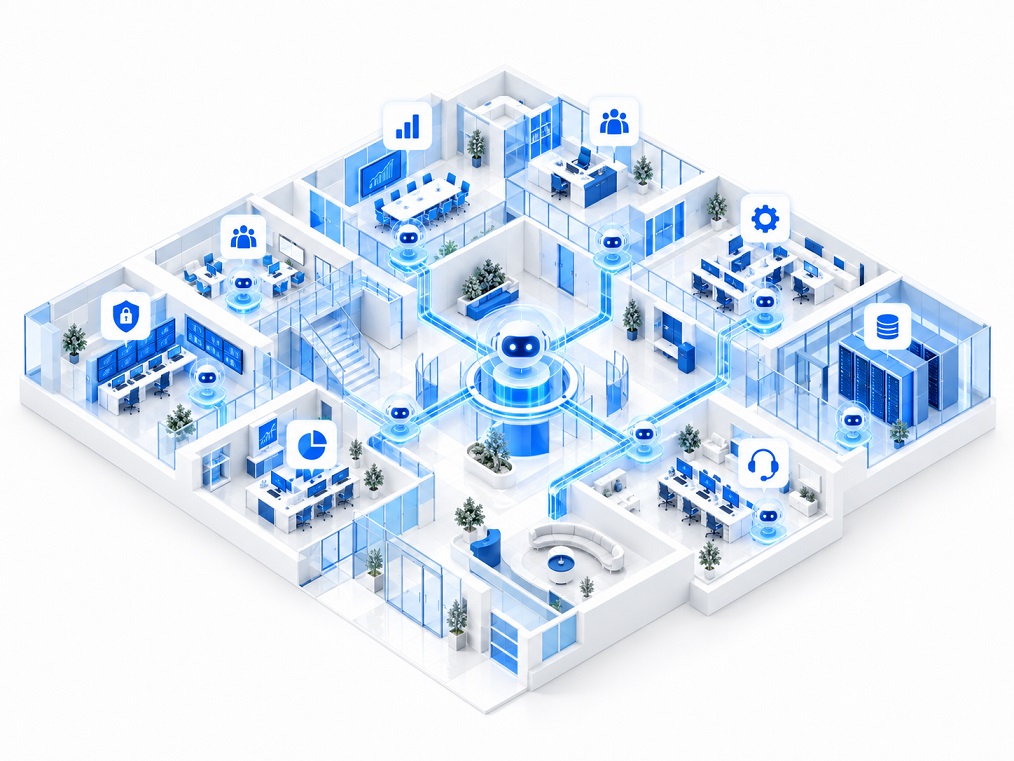
Illustration of an AI agent connected to organizational systems performing actions
Implementation that connects to how the organization already works
Existing systemsInternal knowledgeProcesses and permissionsPeople and controlsMeasurement and improvement
What we implement

A real AI project starts with the business process — not with choosing a bot.

We build the Agent layer around the client’s systems, procedures, and people. So the AI doesn’t just answer — it understands context, gathers information, runs tools, updates systems, and involves a human at the right points.

01 · DISCOVERY & DESIGN

Process, goals, and risks before writing a single Prompt

We map the existing journey, information sources, target systems, decision points, exceptions, and permissions — and choose a Use Case with clear business value and measurable outcomes.

To the implementation process →

02 · AGENT ENGINEERING

Building an Agent tailored to the organization

Role definition, tools, Instructions, memory, operating methods, responsibility boundaries, and failure scenarios.

03 · INTEGRATIONS

Connected to the systems where work actually happens

CRM, ERP, Ticketing, eCommerce, calendar, payments, DMS, internal systems, Webhooks, and API.

04 · ENTERPRISE KNOWLEDGE

RAG and reliable enterprise knowledge

Policies, documents, FAQs, SharePoint, knowledge bases, and business data — with source, context, and permissions.

05 · GOVERNANCE

Permissions, Guardrails, and security

Role-based access, approval before sensitive actions, logs, tool limits, and AI usage policy.

06 · HUMAN IN THE LOOP

AI works with the team, not instead of the team

Smart escalation, approvals, full Context handoff, and control points where humans keep authority.

07 · OBSERVABILITY

Monitoring quality, costs, and actions

Logging conversations, actions, errors, and exceptions — to improve the Agent over time, not only on launch day.

08 · SCALE

From one process to an organizational Agents layer

After proving value, we expand to more departments and scenarios while keeping shared standards.

WHY AGENTLABS

An implementation partner that understands AI, systems, and organizational process.

The gap between an impressive Demo and a project that holds in Production is in integrations, permissions, exceptions, data, employee UX, monitoring, and operational ownership. That’s exactly where we focus.

End‑to‑EndDiscovery, development, integration, QA, training, and go-live.
API‑firstThe Agent joins the existing stack without requiring a system replacement.
Human‑in‑LoopEvery risk point can get approval, escalation, or human handling.
Production‑readyLogs, permissions, Guardrails, monitoring, and improvement as part of the design.
How we work

From the first Workshop to an Agent working inside the organization.

We start small and precise: one high-value process, a controlled pilot, measurement, then expansion. That reduces risk and builds trust with leadership, IT, and business teams.

01

Discovery

Goals, pain points, systems, data, business owners, and KPIs.

02

Solution Design

Architecture, tools, permissions model, RAG, and Human Handoff.

03

Build & Connect

Building the Agent and connecting systems via API, Webhooks, or connectors.

04

Pilot & QA

Real scenarios, edge-case testing, business red-team, and behavior tuning.

05

Go Live

Training, controlled rollout, permissions, monitoring, and support.

06

Scale

Performance analysis and expansion to more departments, tools, and Agents.

Organizational scenarios

One AI agent for the whole organization? Usually you need several Agents — each with clear responsibility.

The solution can start in service, sales, or operations and later expand into a coordinated Agents setup, each working with the relevant knowledge sources and tools.

CUSTOMER SERVICE AGENT

A service agent that doesn’t just explain — it resolves.

Identifies the customer, finds an order or ticket, pulls policy, performs allowed actions, and escalates to an agent with full Context when needed.

Open / update ticketCheck order statusSend documentsHuman Handoff
AI agent for service and support
SALES AGENT

Detect intent, enrich the lead, and drive the next step.

Asks qualification questions, pulls product information, schedules a meeting, updates CRM, and runs follow-up by predefined rules.

Lead qualificationMeeting schedulingCRM updateFollow‑up
AI agent for sales
OPERATIONS AGENT

An Agent that connects a human request to an operational process.

Collects data, checks conditions, opens a task, updates a system, waits for approval, and continues automatically to the next step.

Workflow orchestrationTask assignmentException checksStatus updates
AI agent for operations
BACK OFFICE AGENT

Documents, data, and approvals — without creating more manual work.

Reads documents, extracts fields, compares with system data, prepares a summary, and sends for human approval when policy requires it.

Document processingData extractionPolicy checksApproval flow
AI agent for Back Office
CONNECT TO YOUR STACK

We don’t replace your systems. We connect an AI layer to them.

AgentLabs can connect to CRM, commerce, support, email, calendar, payments, and internal systems via ready integrations, Webhooks, or API. Architecture follows the client’s security limits and process.

Check integration feasibility
CRM
ERP
Help Desk
eCommerce
DMS
API / Webhooks
Calendar
Payments
Internal Apps
GOVERNANCE & SECURITY

The more power the Agent gets — the more carefully control must be designed.

We define in advance what the Agent can see, what it can do, when it must ask for approval, and when it must stop and hand off to a human.

Agent Control Layer

A control layer that separates the AI’s understanding from permission to act in the real world.

Role-based access
Tool permissions
Approval gates
Audit logs

Implementation ready for an Enterprise environment

In every project we set risk and control level by process: personal data, financial actions, data changes, customer commitments, or access to internal systems.

PII & Data boundaries
Prompt / output logging
Fallback & escalation
Testing & evaluation
Knowledge permissions
Environment separation
Process examples

Where to start? With a process that has high friction and high repetition.

The examples below are possible use scenarios — not client stories or performance promises. In the discovery meeting we assess which fit your systems and policies.

Order change

Identify customer → check status → check policy → update system → confirmation message.

Order DBPolicyApprovalUpdate

B2B customer onboarding

Collect details and documents → completeness check → open customer → assign tasks → update status.

FormsDMSCRMWorkflow

Internal IT support

Diagnose issue → search Knowledge → run allowed action → open Ticket or escalate.

KBITSMIdentityHuman
START WITH ONE HIGH-VALUE PROCESS

Let’s choose one process an AI can take real ownership of.

In a focused discovery meeting we’ll understand the process, systems, and data, and propose architecture for a first pilot — including human control points.